

If you are trying to extract data from a modern web page and the HTML returns empty <div> tags, a traditional HTTP request will fail. You need a way to execute the client-side scripts. This forces developers into a critical architectural choice: relying on selenium vs puppeteer scraping, or offloading the operation entirely to a scraping API.
In my experience building web data pipelines, the best approach depends entirely on your scale. You should always try to intercept direct data endpoints first. If you need custom interactions on a handful of domains, building a selenium vs puppeteer scraping script makes sense. But when managing proxy rotations, memory limits, and anti-bot blocks consumes more engineering hours than the extraction logic itself, a managed API wins.
What is the best way to scrape JavaScript-heavy websites?
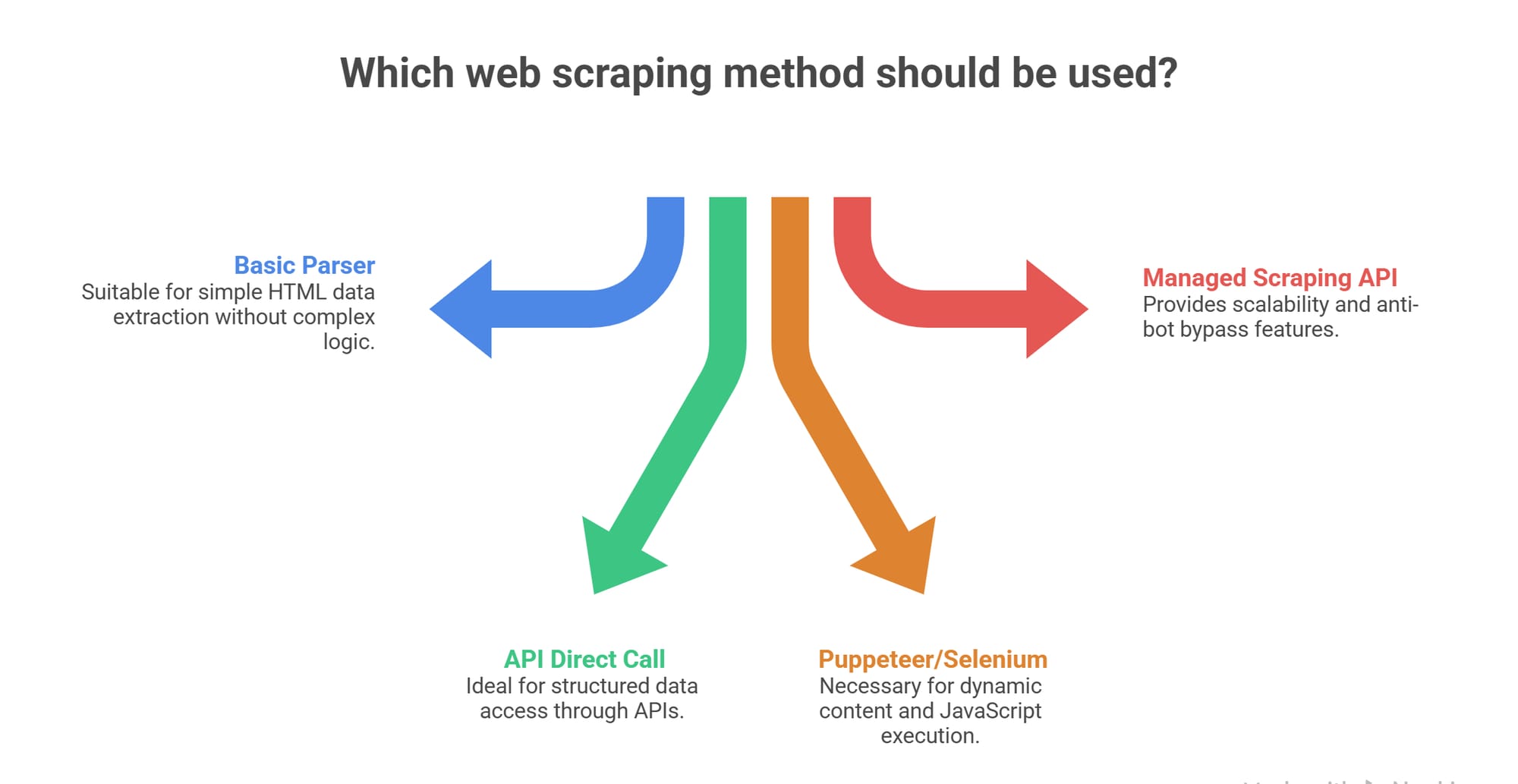
The best way to scrape JavaScript-heavy websites is to intercept the site's background JSON endpoints (XHR/GraphQL) directly. If the endpoints are protected or hidden, use browser automation (Selenium or Puppeteer) for low-volume extraction, or switch to a managed scraping API to handle rendering and anti-bot bypasses at scale.
Why Scraping JavaScript-Heavy Sites Breaks Standard Parsers
Up to 94% of modern sites require browser automation capabilities. If the target data isn't in the initial HTML payload, standard HTTP parsers like BeautifulSoup or Cheerio will miss it entirely.
On a static site, a simple request library paired with an HTML parser works perfectly. You extract the payload instantly without heavy compute overhead.
Dynamic single-page applications (SPAs) change the rules. They load empty containers first. The actual content appears only after the browser downloads and executes JavaScript, pulling data through background APIs. The DOM then updates constantly due to hydration, lazy loading, or active user interaction. To get this data, your scraper must use JavaScript-enabled crawling to render the page exactly like a real user's browser.
Start with Option Zero: Can You Avoid the Browser?
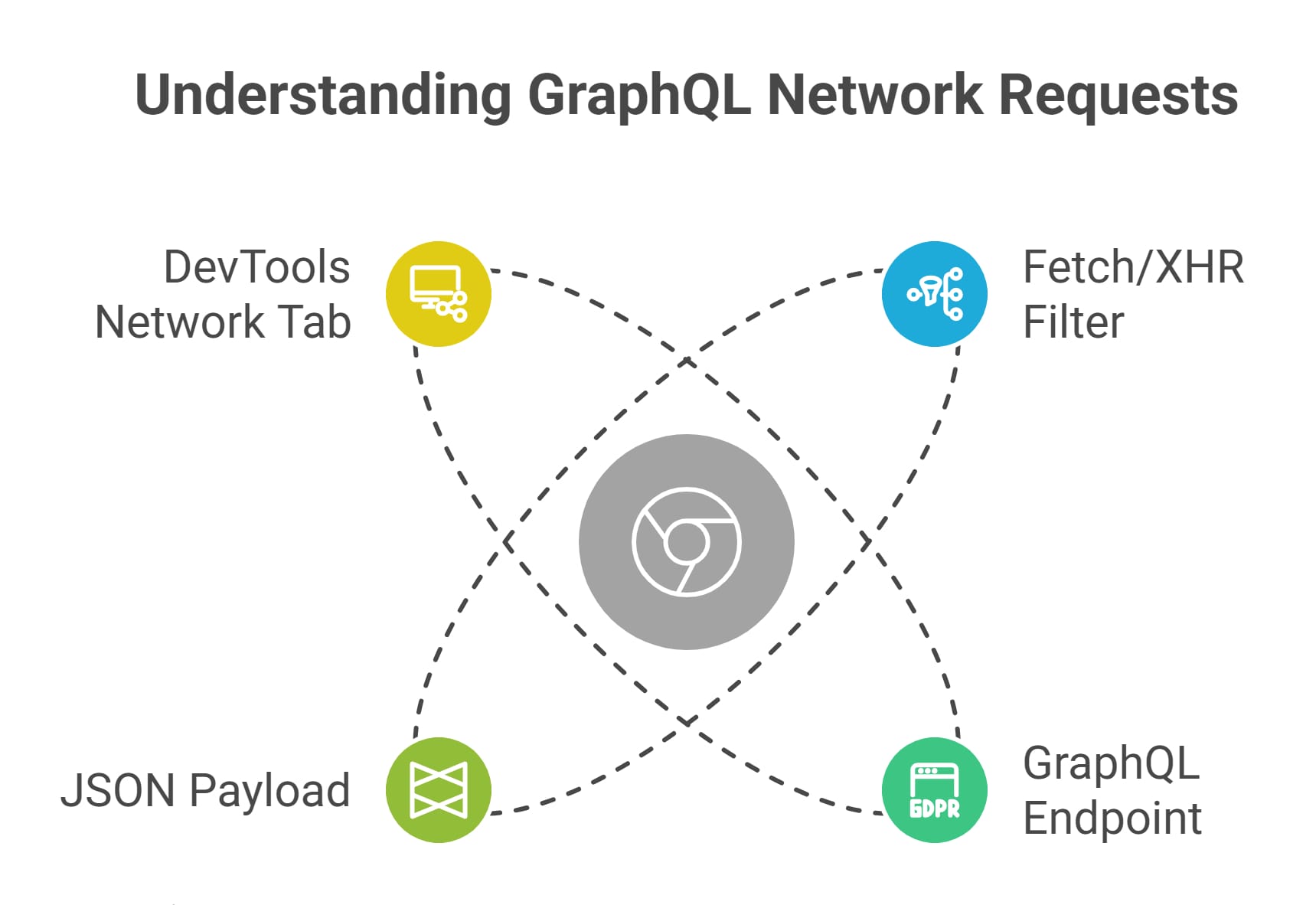
Before debating the merits of selenium vs puppeteer scraping, open your browser's DevTools. If you can intercept the background JSON request directly, you do not need a browser at all.
Extracting structured data directly from an endpoint is 10x to 100x faster than running a headless browser. It completely bypasses the massive RAM and CPU overhead of browser rendering.
Here is my default workflow before writing any automation script:
- Open Chrome DevTools (F12) and navigate to the Network tab.
- Filter the traffic for Fetch/XHR.
- Reload the page and trigger the UI element holding your data.
- Look for JSON or GraphQL responses in the stream.
- Right-click the request and select "Copy as cURL" to test it in your terminal.
If the site exposes a clean JSON endpoint without strict session tokens, skip the browser. Build your scraper around standard HTTP requests.
Puppeteer vs Selenium Web Scraping: Choosing Your Headless Engine
Use Selenium if you need multi-language support (Python, Java, C#) or are integrating into an existing enterprise QA stack. Use Puppeteer for native Node.js development and fast, Chrome-centric prototypes.
When direct HTTP requests fail, you must render the DOM. This is where the core selenium vs puppeteer scraping comparison begins.
Selenium is a cross-browser automation framework. It was designed for automated testing but became the default standard for web scraping. Modern setups are much cleaner now that Selenium Manager handles driver dependencies natively [6], making it the best fit if your team already operates a heavy Python or Java stack.
Puppeteer is a Node.js library providing a high-level API to control Chromium directly [8]. If targeting Chrome is sufficient for your extraction needs, Puppeteer offers a vastly superior developer experience. It is lightweight, event-driven, and ideal for building fast prototypes.
Note on Playwright: For greenfield DIY builds in 2026, I always advise teams to evaluate Playwright [7]. It offers native auto-wait capabilities, fast parallel execution, and built-in network interception, effectively solving many traditional selenium vs puppeteer scraping pain points.
When a Scraping API Beats Browser Automation
A scraping API is the better choice when managing infrastructure, memory limits, and proxies costs you more time and money than writing the core extraction logic.
The hardest part of selenium vs puppeteer scraping is not writing the script. The true friction lies in production maintenance and infrastructure overhead.
The Real Cost of DIY Browser Scraping
When deploying scrapers to AWS or Docker, I constantly see instances crash because developers underestimate the hardware requirements. Each headless Chrome instance consumes roughly 200MB to 500MB of RAM. Attempting high concurrency locally or on cheap cloud servers creates severe memory thrashing. You also have to remember Docker-specific flags like --disable-dev-shm-usage just to keep instances alive.
Add the cost of premium proxy pools and the engineering hours spent fixing broken CSS selectors, and your DIY scraper becomes a full-time operational burden.
The Scraping API Advantage
A scraping API removes browser orchestration entirely. It abstracts away the complex proxy rotation, session management, and retry plumbing. You send a URL, and the vendor's infrastructure handles the rendering, returning the final extracted data.
If your downstream system (like an AI agent or a SaaS database) requires clean, structured JSON rather than raw, noisy HTML, a managed solution is invaluable. This is exactly where Olostep fits into a modern data pipeline. Olostep acts as scalable infrastructure, enabling batch extraction and parser frameworks that deliver ready-to-use structured data without the headache of managing headless browser fleets.
Beating Anti-Bot Systems: The Hidden Tax of Scraping
Default headless browsers leak obvious automation signals. Relying on basic open-source stealth plugins is no longer a durable strategy against modern, enterprise-grade anti-bot protections.
When evaluating selenium vs puppeteer scraping for protected sites, you will inevitably hit a wall. Modern anti-bot systems (like Cloudflare, DataDome, or PerimeterX) look past simple user-agent switching. They inspect:
- Hardware concurrency and WebGL fingerprints.
- TLS (JA3/JA4) fingerprint mismatches during the SSL handshake.
- The lack of proper browser plugins or realistic mouse movements.
A few years ago, the common advice was to just install an open-source tool like puppeteer-extra-plugin-stealth. Today, bypassing advanced Cloudflare challenges is an active, daily arms race, and basic plugins frequently fail to mask advanced automation signals. If anti-bot blocks are already dominating your roadmap, shifting the bypass responsibility to a scraping API is usually the most cost-effective business decision.
Decision Framework: The Best Way to Scrape JavaScript Sites
Match your architecture to your constraints. Use direct APIs for speed, DIY browser automation for low-volume custom workflows, and managed scraping APIs for scale and anti-bot resilience.
Use this simple matrix to finalize your selenium vs puppeteer scraping strategy:
| Architecture | Best Fit Scenario | Biggest Weakness | Infrastructure Cost | Output Type |
|---|---|---|---|---|
| Direct Endpoint / XHR | Data is exposed cleanly in JSON. | Fails if APIs are strictly obfuscated. | Very Low | Structured JSON |
| Selenium | Existing multi-language testing stack. | High memory usage at concurrency. | High | Raw HTML / DOM |
| Puppeteer | Node.js teams building rapid prototypes. | Struggles against heavy anti-bot layers. | Medium | Raw HTML / DOM |
| Scraping API | High-scale, protected target domains. | Local debugging of custom interactions. | Low (Vendor Managed) | JSON / Rendered HTML |
My rule of thumb: Start with a direct HTTP request. If that fails, write a quick script. Once browser maintenance becomes your actual job, buy the infrastructure.
FAQ
How do you scrape JavaScript websites?
You scrape them by executing the client-side JavaScript to render the DOM. You can do this locally using selenium vs puppeteer scraping tools, or you can offload the rendering to a managed scraping API that handles the browser layer for you.
Is Selenium or Puppeteer better for web scraping?
Puppeteer is generally better for lightweight, Chrome-specific scraping in Node.js environments. Selenium is better if you require multi-browser support or are integrating the web scraper into an established Python, Java, or C# enterprise stack.
When should I use a scraping API instead of a headless browser?
You should switch to a scraping API when managing proxy rotations, fighting Cloudflare blocks, and scaling RAM-heavy browser infrastructure takes up more engineering time than writing your actual data extraction logic.
Can I scrape a JS-heavy site without a headless browser?
Yes. You can intercept the site's background XHR, fetch, or GraphQL network requests using your browser's DevTools. You can then call those API endpoints directly using standard HTTP libraries, completely bypassing the need for DOM rendering.
Do anti-bot systems block default headless browsers?
Yes. Modern anti-bot platforms detect headless configurations by analyzing WebGL fingerprints, TLS handshakes, and execution patterns. Relying on basic stealth plugins to hide your selenium vs puppeteer scraping footprint is rarely a long-term solution.
Should AI agents consume HTML or structured JSON?
AI agents and SaaS pipelines should consume structured JSON or Markdown. Passing raw HTML to a Large Language Model wastes context tokens and drastically increases hallucination risks. API-side structuring prevents this entirely.