

Olostep × n8n
Search, scrape, and crawl the web from n8n
Capabilities
What you get from the verified Olostep node
Your web data layer inside n8n
The verified Olostep Web Scraper node mirrors our API in the canvas, with the same operations you see on n8n.io, documented end-to-end. Turn live sites into data your workflows can branch on.
All six actions (Scrape Website, Search, Answers (AI), Batch Scrape URLs, Create Crawl, Create Map) match the official community node and docs.
Wire them into schedules, webhooks, or AI steps: connect Olostep to 1000+ apps without leaving n8n’s builder.
Browser-grade rendering and infrastructure handle JS sites and friction so you focus on logic, not headless ops.
LLM-ready Markdown, JSON, screenshots, or store parsers, plus AI answers with citations when you need grounded responses.
Scrape Website
Pull LLM-ready content from any URL (Markdown, HTML, JSON, or text), with parsers, waits, and full JS execution.
View in docsSearch
Run web search and get structured results (titles, URLs, snippets): the same non-AI search action n8n lists for research and leads.
View in docsAnswers (AI)
Ask the web in natural language and get answers with sources, ideal before LLM nodes or for grounded briefings.
View in docsBatch Scrape URLs
Ship catalogs and lists at scale: up to 10k URLs per batch, parallelized, exactly as advertised on the n8n integration page.
View in docsCreate Crawl
Follow links from a start URL and scrape subpages, perfect for docs mirrors, blogs, and site-wide ingestion.
View in docsCreate Map
Enumerate a site’s URLs for SEO, discovery, or feeding Batch Scrape: map first, scrape second.
View in docsOperation names match the verified Olostep Web Scraper node on n8n.
Setup
Search the node, install it, add credentials, then run
Get Olostep running in n8n
From the nodes panel to your first execution—every step is shown below.
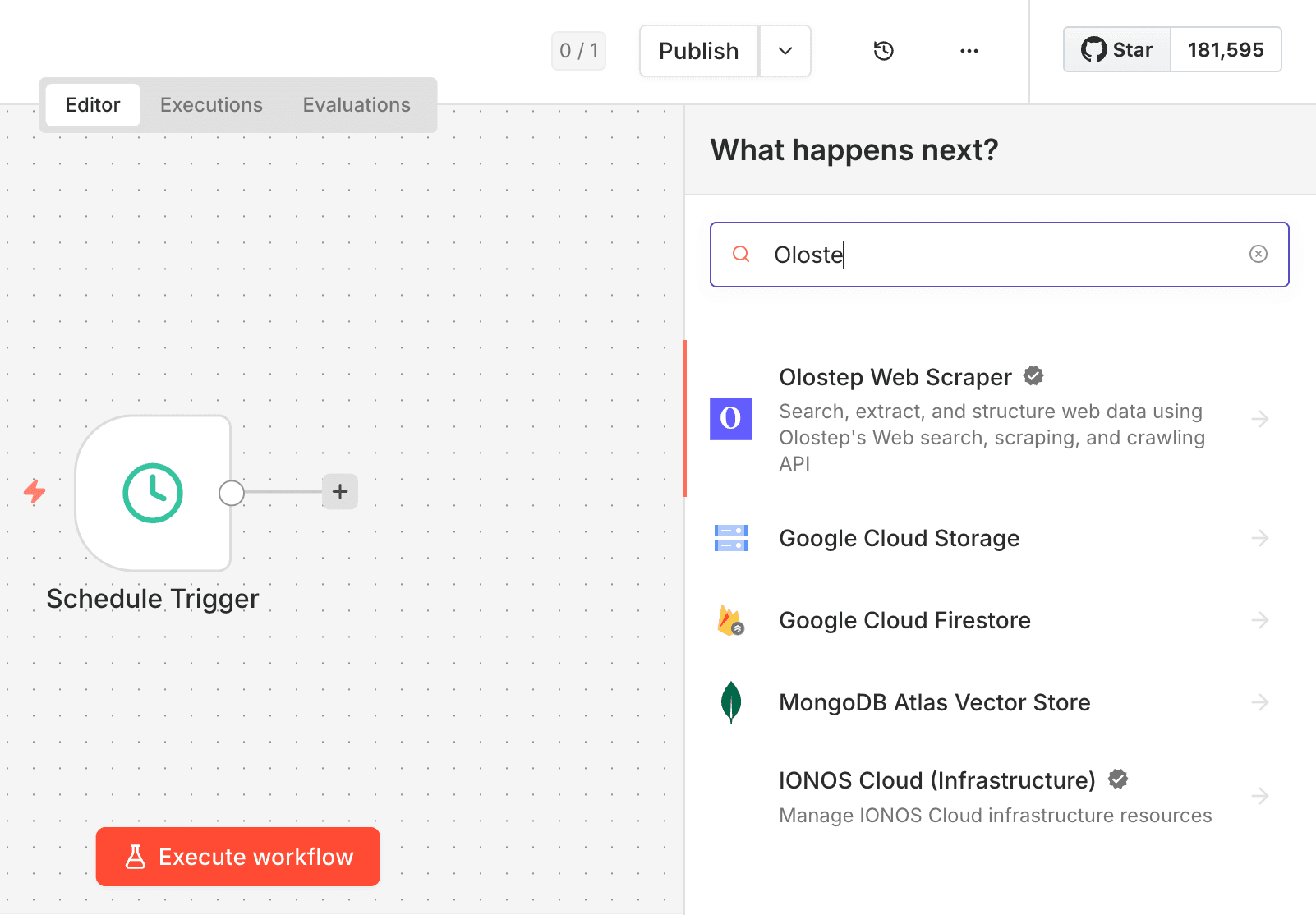
Search for the node
Sign in to n8n, open the workflow editor, and click + in the top right to open the Nodes panel. Search for Olostep (or “Olostep Web Scraper”) and pick the action you need: Scrape Website, Search, Batch, Crawl, Map, or Answers.
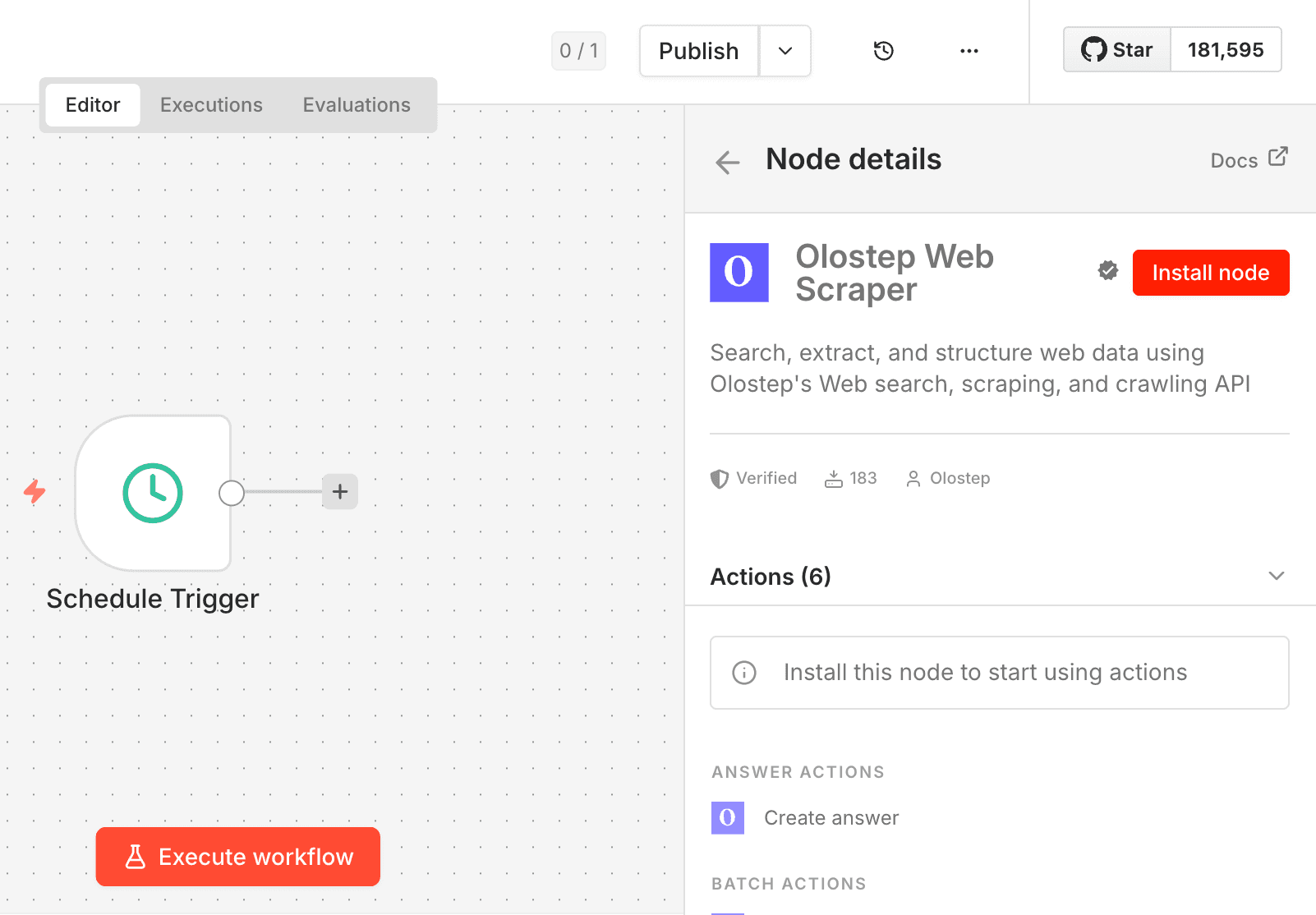
Install it
In n8n, go to Settings → Community Nodes, choose Install, and enter n8n-nodes-olostep. After the Olostep Web Scraper node finishes installing, restart n8n when prompted so it shows up in the node palette. If community nodes are turned off for your workspace, an admin may need to enable them first.
n8n community nodes installation guide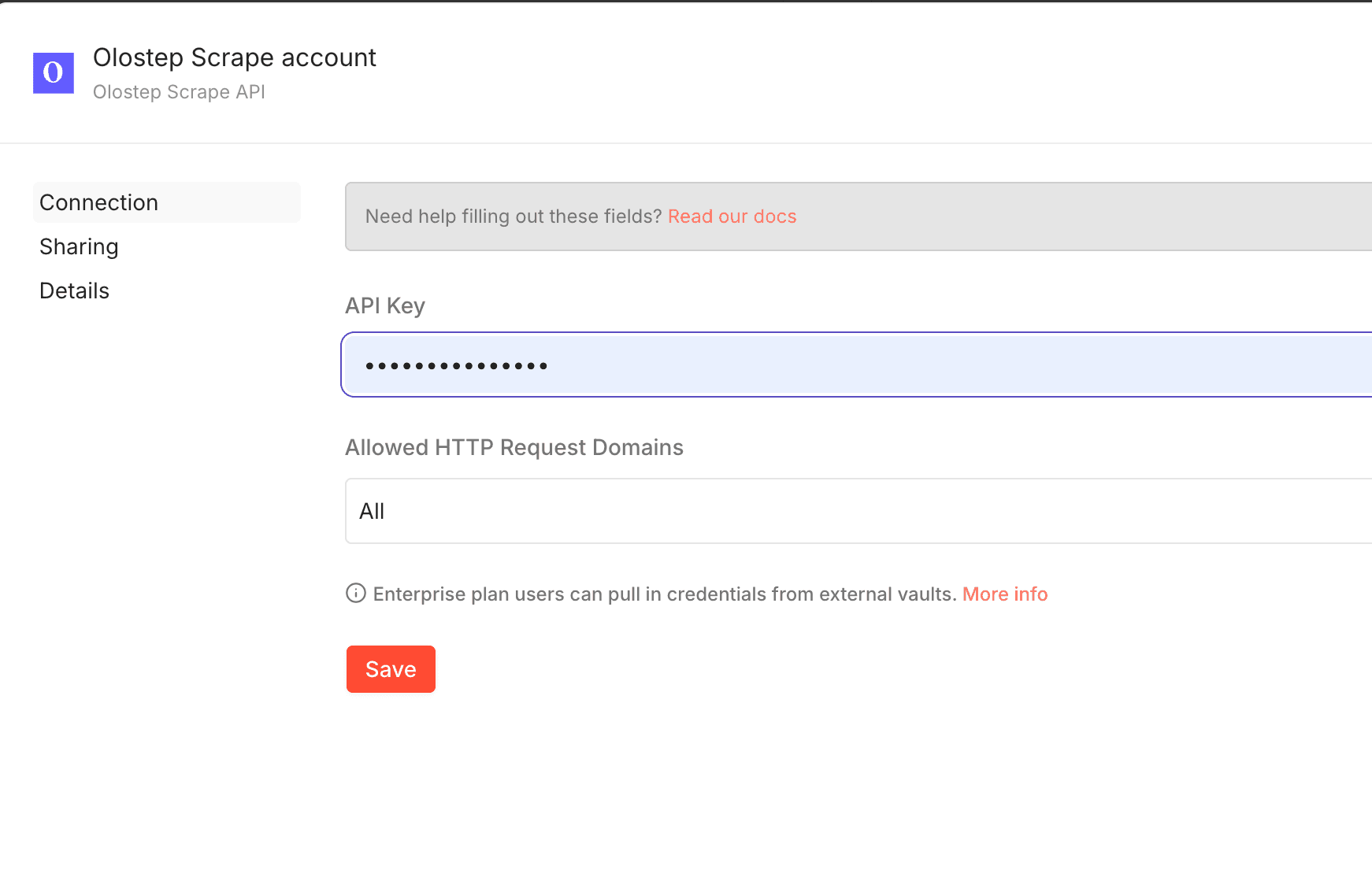
Add credentials
Add an Olostep node to a workflow, open it, and choose Create new credential. Paste your Olostep API key from the dashboard, save, and attach the credential to the node. No credit card required to start; free tier includes credits to try real workflows.
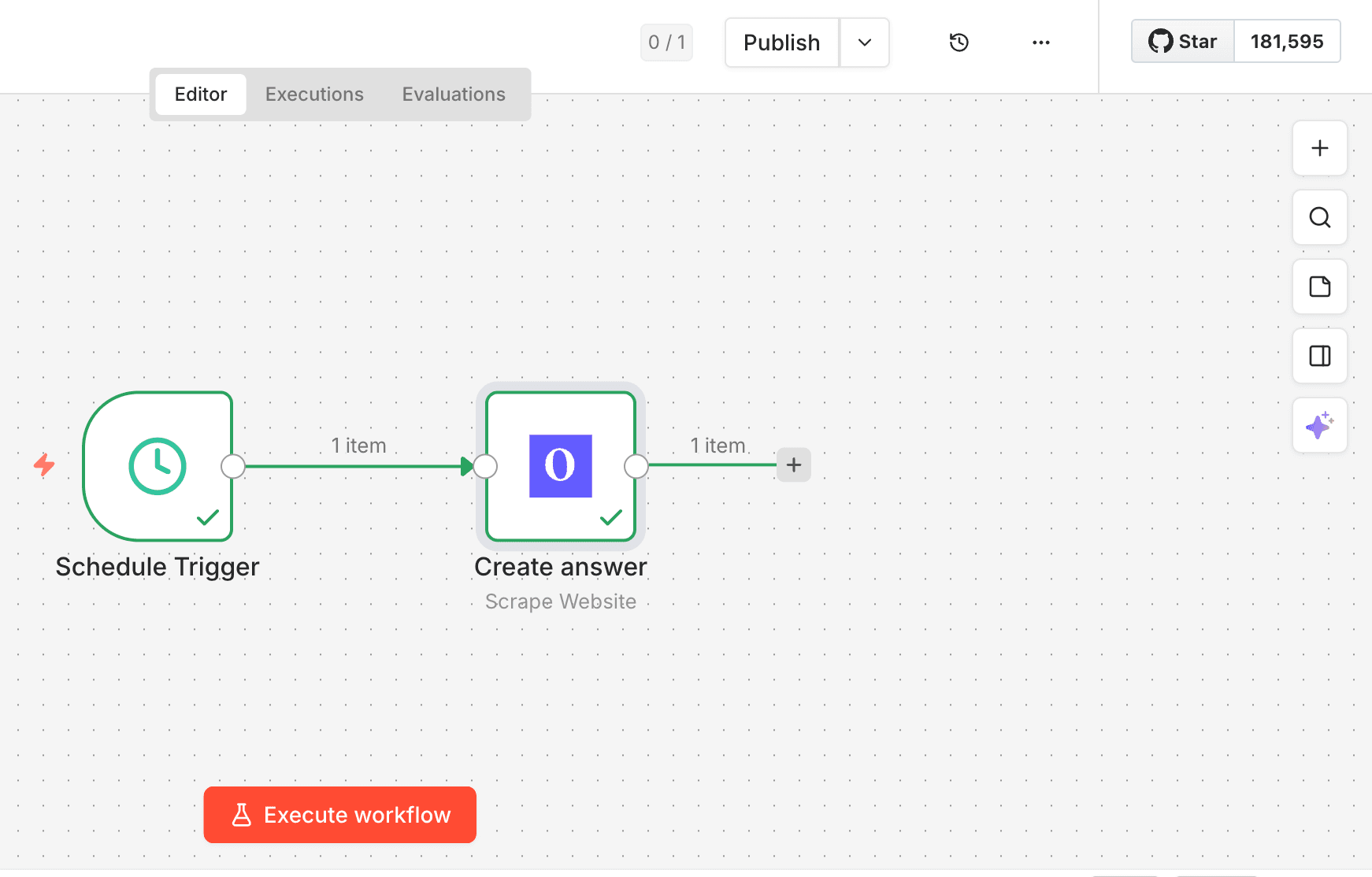
Ready to use
Wire Olostep steps to triggers, HTTP, Sheets, AI nodes, or anything else in n8n. Execute the workflow: your web data runs through the same API as our docs and the listing on n8n.io. Tune formats, parsers, and batch sizes from the node UI.
Get your API key from the Olostep dashboard.
Use cases
Patterns teams ship with Olostep in n8n
What teams build with n8n
Schedules, webhooks, and AI nodes: common workflows you can wire today with the verified node.
E-commerce price monitoring
Schedule scrapes of competitor product pages, compare prices in Sheets or Slack, and alert when values change.
Content aggregation
Trigger on RSS or new rows, scrape article URLs as Markdown, then push summaries to Notion or your CMS.
Lead enrichment
On new CRM or form submissions, scrape company sites and pass text to an LLM node to fill structured fields.
Research automation
Map a site to discover URLs, batch-scrape the list, and store results for analysis or reporting.
Need ideas? See the n8n integration guide for limits, async flows, and output formats.
FAQ
Install, limits, formats, and troubleshooting
Frequently asked questions
Straight answers for the verified node, aligned with our API, dashboard, and docs.
Start using Olostep with n8n
500 free credits to get started — no credit card required. Full documentation is on the docs site.
← Back to all integrations